The challenge
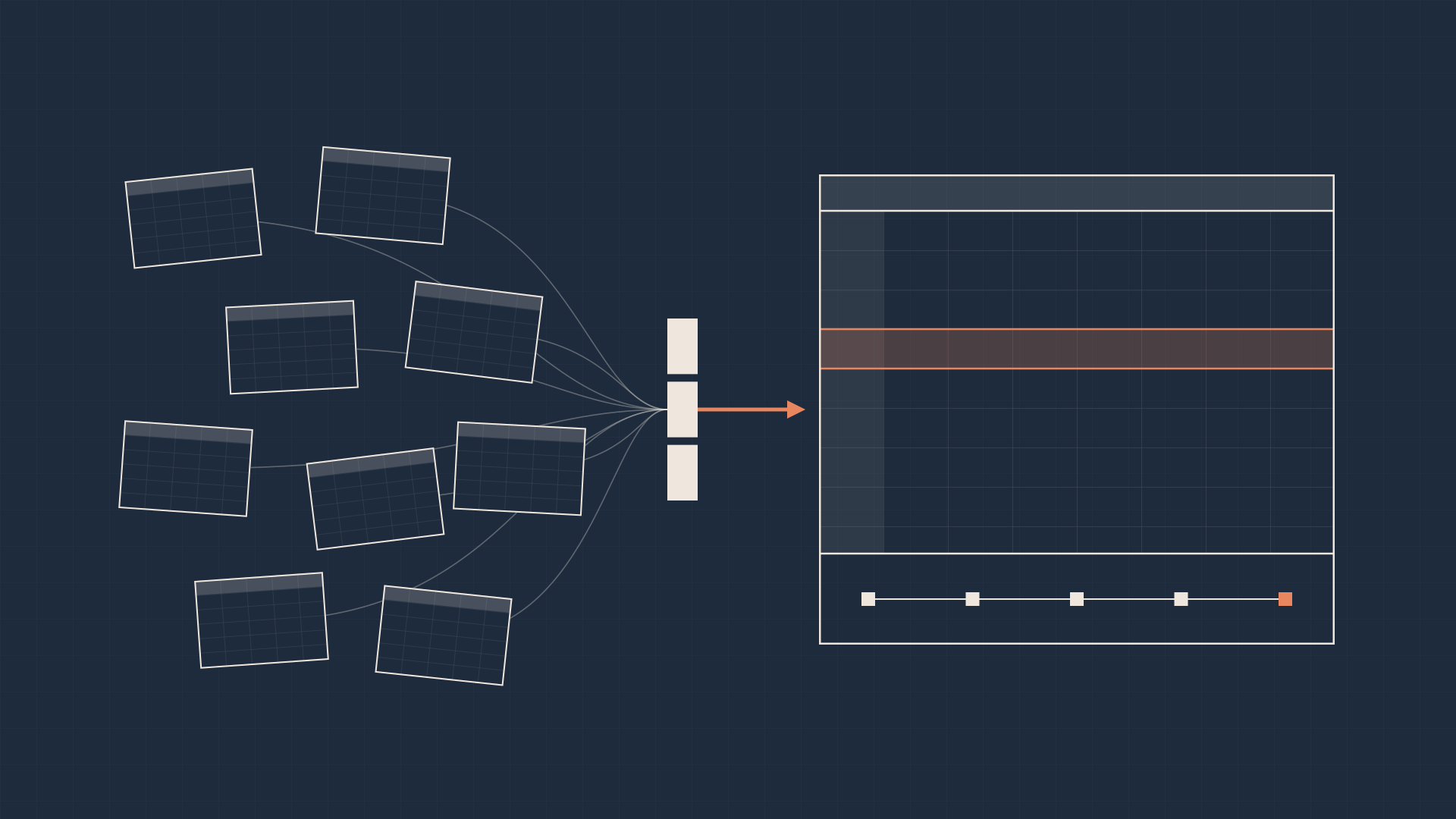
The client's existing operational workflows had grown organically around Excel. Data was pulled into local workbooks with no guarantee of freshness or accuracy, leading to repeated manual input errors. Security was equally fragmented: data visibility was dictated by who held a local file rather than centralized entitlement policies.
Furthermore, critical business logic was buried inside complex, unversioned VBA macros across individual files, often triggered by scheduled jobs running on individual desktops. Without source control, teams struggled to review logic changes, trace calculation errors, or onboard new developers.
Migrating these workflows required more than just rebuilding spreadsheet grids in a browser. Because upstream and downstream processes still depended on exchanging spreadsheets, we had to preserve familiar Excel inputs and outputs while moving data access, business logic, and day-to-day execution into a governed runtime environment.
Treating migration as a framework problem
With more than 100 workflows in scope, treating each spreadsheet as a bespoke rebuild would have created massive engineering duplication. Instead, I approached the engagement as a platform framework problem—investing upfront in shared primitives and migration tooling so each subsequent workflow became faster to onboard and standardize.
The logic itself came from the people who used it. Together with our delivery team and the client's domain experts, we translated years of deeply embedded spreadsheet logic into a maintainable production system.
The native Excel framework
Because Excel remained a required interface format, I wrote native .xlsx and .xls parsers directly into 3forge. These parsers anchored a shared framework capable of automating end-to-end spreadsheet pipelines: ingesting incoming emails, extracting targeted cell data from attached workbooks, executing business logic inside 3forge, and populating formatted Excel templates for downstream distribution.
Writing the parsers natively, rather than wrapping a library such as Apache POI, was a deliberate choice. It let us write outputs back in our own formats, and perform partial reads of only the cells a workflow needed, without first converting the workbook into an intermediate representation such as POI's tables. It also kept the platform's packaging lightweight. Supporting .xls meant handling the legacy binary format as well as the newer XML-based .xlsx.
This architecture decoupled the interface from the execution engine. Users and external systems kept the spreadsheet formats they relied on, while calculations, state, and validation moved onto 3forge. Every migrated workflow could leverage the same parsing and templating primitives alongside the platform's core data connectors.
In · Excel
- Incoming emails
- Attached workbooks
3forge · governed execution
Out · Excel
- Formatted workbooks
- Downstream teams and systems
Onboarding a workflow
Each new workflow, typically a report, was onboarded through the same declarative steps. First, define its data dependencies. Then write the business logic in AMIScript, 3forge's scripting language, stored as JSON-backed configuration. Next, define its schedule as a cron job managed centrally by 3forge, replacing jobs that had run on individual desktops. Finally, define the audience groups it is distributed to and whether any approvals are required before it goes out.
The finished workflow is registered in a central repository. Its visibility there is governed by entitlements, and every run is recorded in a full audit trail. Because each workflow followed the same shape, onboarding became configuration rather than bespoke engineering.
- 01Excel drop, email attachment, or VBA query
- 02Copied or edited in a local workbook
- 03VBA macro run by a desktop scheduled job
- 04Output saved and emailed by hand
- 01Read from the source database, or parse the attachment natively
- 02Check freshness and entitlements
- 03Run AMIScript logic on a central schedule
- 04Approve if required, then send to the audience group
Centralizing controls, lineage, and version management
Consolidating 100+ separate workflows into a single dashboard transformed how they were governed:
- Data freshness. Shared data sources were managed centrally, with a mix of real-time freshness monitoring and query-time checks, so workflows didn't execute on stale or incomplete upstream data. Where possible, workflows read directly from source databases instead of an Excel drop or a VBA query into a workbook, removing both staleness and the chance of someone editing a cell by hand.
- Entitlements. Role-based entitlements were enforced directly at the platform layer, so access followed the policies on the data rather than whoever held a copy of the file.
- Granular source control. Migrating business logic out of opaque VBA workbooks and into 3forge brought the entire application under version control—right down to the formulas used to render individual table columns. Logic changes became reviewable diffs, calculation errors could be traced to a specific change, and new developers could read the history instead of reverse-engineering a workbook.
- Audit trail and lineage. The platform recorded a complete historical audit trail of every generated output: what was sent, who triggered it, which underlying input state was used, and when it executed. Operators could trace any downstream number directly back to the exact data and user actions that produced it.
Execution
- Input state The exact data the run used
- Logic version The reviewed change that calculated it
- Run Who triggered it, and when it executed
- Output What was sent
Audit trace · from any number back to its source
Any number in an output can be traced back through the run that sent it and the logic version that calculated it to the input data it came from.
From delivery to client ownership
Throughout delivery, managing user adoption was just as critical as the technical migration. Operators had deep institutional knowledge embedded in their existing processes. By preserving their familiar input/output structures while eliminating manual copy-paste errors, we built user confidence alongside the rollout.
A primary goal of the engagement was enabling long-term client self-sufficiency. The migration and management tooling wasn't just built to speed up our own delivery team—it was designed so the client's engineers could onboard new workflows and maintain existing ones without vendor bottlenecks.
Once we established the core framework and brought the initial wave of workflows into production, we transitioned development ownership to the client. Their team now maintains the system and uses the framework to expand coverage across new business units.
What changed
- 100+ workflows unified in one dashboard. Replaced isolated, file-based workflows with a centralized application environment backed by shared data sources and real-time and query-time freshness checks.
- Governed, auditable execution. Enforced role-based entitlements, moved desktop scheduled jobs onto centrally managed schedules, brought column-level formulas and scripts under source control, and established a complete audit trail and lineage across inputs, senders, timestamps, and outputs.
- A reusable native Excel framework. Built native .xlsx and .xls parsers supporting automated email ingestion and template generation—establishing a repeatable foundation for future enterprise migrations.
- Full transition to client-led development. Designed the framework and management tooling for maintainability, enabling the client's internal engineering team to take over day-to-day development after core delivery.
- Catalyst for broader platform adoption. Proved the platform's value in production, directly unlocking follow-on projects and wider adoption across the institution.
What I took from the work
Enterprise adoption depends as much on the tooling around the application as the application itself. Investing early in migration systems and management abstractions determines whether an initial deployment remains a one-off project or scales across an organization.
At the same time, a reusable framework needs a real production problem to shape it. Building our Excel parsers and templating systems alongside a live migration of 100+ workflows kept our abstractions grounded in actual operational constraints.
Finally, the handover reinforced that the true test of enterprise architecture is whether another team can own and extend it. Seeing the client take over development—and use that foundation to drive further projects—was the strongest validation of the design.